
CRSF Protocol
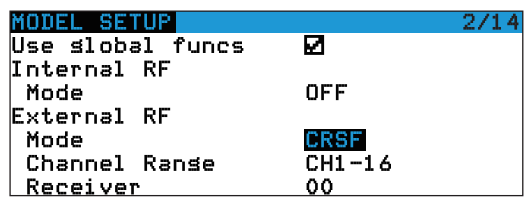
In OpenTX system, enter into MODEL SELECTION--MODEL SETUP. Turn off the "Internal RF". E enable"External RF" and select "CRSF" as the protocol, as shown below:
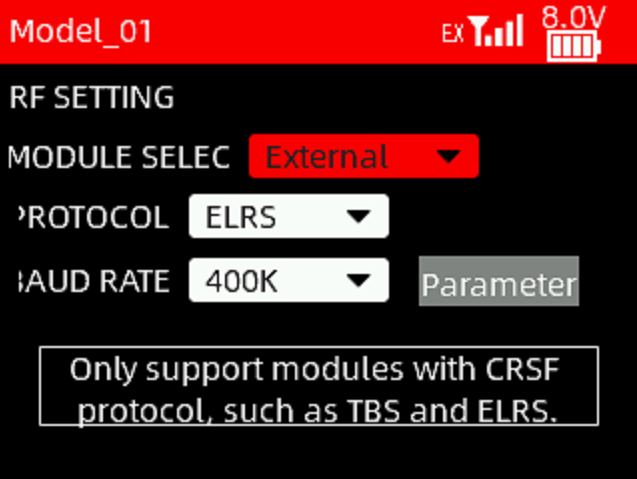
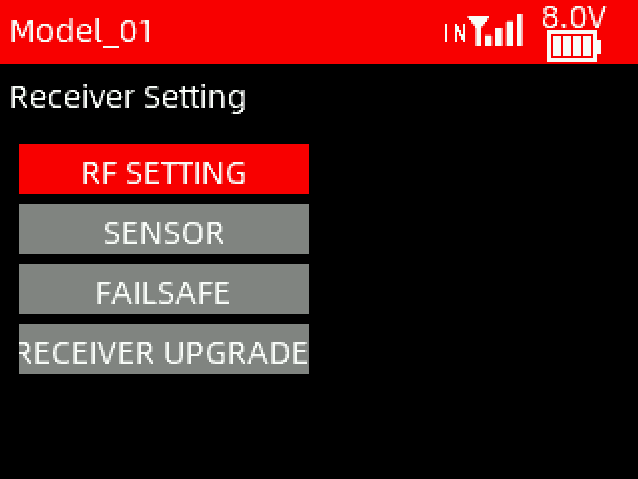
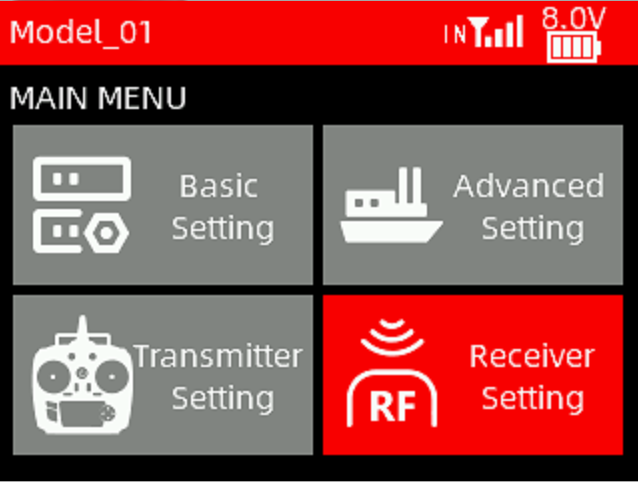
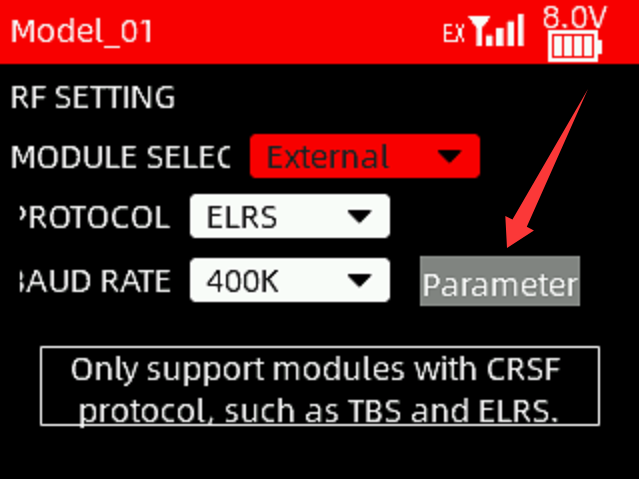
When T16D transmitter is used, mount the module on T16D. Enter Receiver Setting -> RF Protocol. Set the module to External, and select the corresponding protocol and baud rate, as shown below:
Here is the tutorial to show how to connect ELRS module to T16D:
https://www.youtube.com/watch?v=64idhfqYJLA
LUA Script
If you want to modify the parameters such as power, refresh rate etc, the LUA script can be used to control the module.
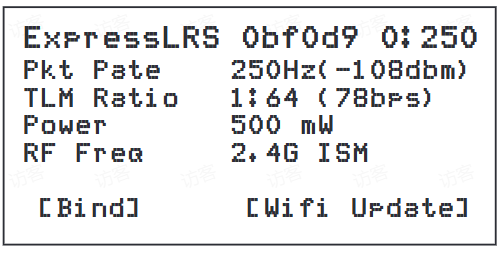
The steps to modify the LUA script for OpenTX:• Save the ELRS.lua script files onto the radio transmitter's SDCard in the Scripts/Tools folder;• Long press the "SYS" button (for RadioMaster T16 or similarradios) or the "Menu" button (for Frsky Taranis X9D or similarradios) to access the SD-HC CARD Menu where you can find ELRS scriptready to run;• Below image show the LUA script runs successfully:
The steps to modify the LUA script for RadioLink T16D transmitter:
Enter Receiver Setting -> RF Protocol. Set the module to External. Click Parameter to enter the script, as shown below:
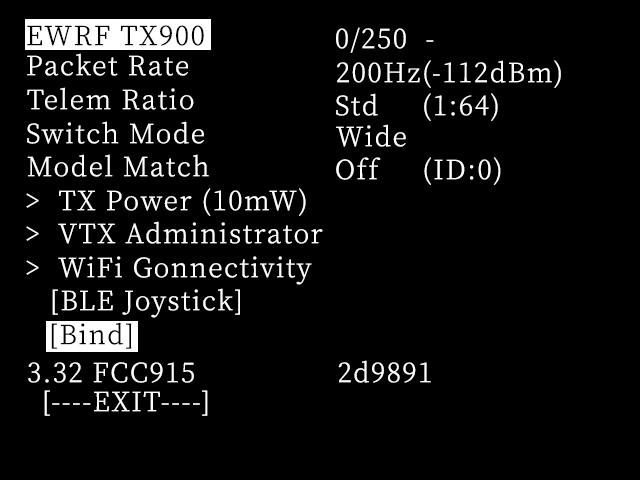
With the LUA script, pilot could check and setup someconfigurations of the module. Here is the introduction of these parameters:
Packet Rate: Data packet frequency. The higher the frequency, the shorter the interval between data packets sent by the module, and the faster the receiver response
Telem Ratio: Receiver telemetry ratio
Switch Mode: Switching mode
Model Match: Model matching, off by default
TX Power: RF TX module output power
VTX Administrator: Set the VTX parameter of FC and goggles which have bound with RF TX module
WIFI Connectivity: Enables WIFI function of RF TX module or receiver
BLE Joystick: Open the bluetooth function
Bind: Set the RF TX module into binding status
Exit: Return or exit
Bind
Power on ELRS receiver three times consecutively, with a power-up interval of less than 1.5 seconds.
The indicator light of the receiver will flash twice, indicating it has entered the binding status.
Press the BIND button on the transmitter, as shown below.
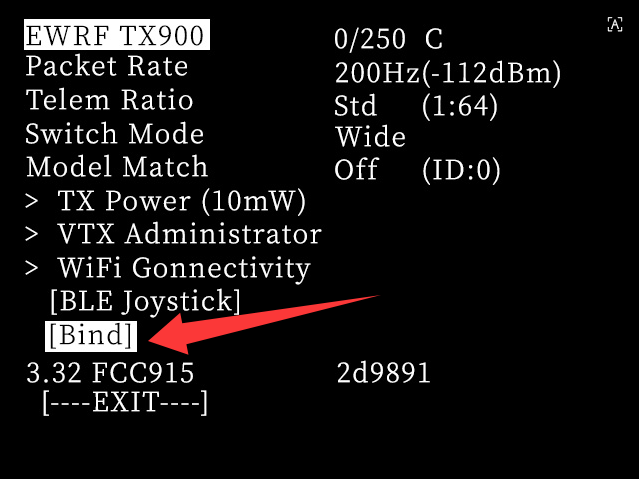
The indicator light of the receiver will turn solid, indicating successful binding.
After successful binding, the program will record the paired remote control device. The next power-on will restore the last binding record. No need to bind them every time the receiver is powered on.
Firmware Update
Please refer to the below tutorial to update the firmware:
https://www.youtube.com/watch?v=t1sRgJEYnLk